Model Context Protocol (MCP) explained
MCP is a protocol pattern for connecting AI applications to external context and capabilities. It gives agents a consistent way to discover tools, read resources, use prompts, and communicate with integration servers.
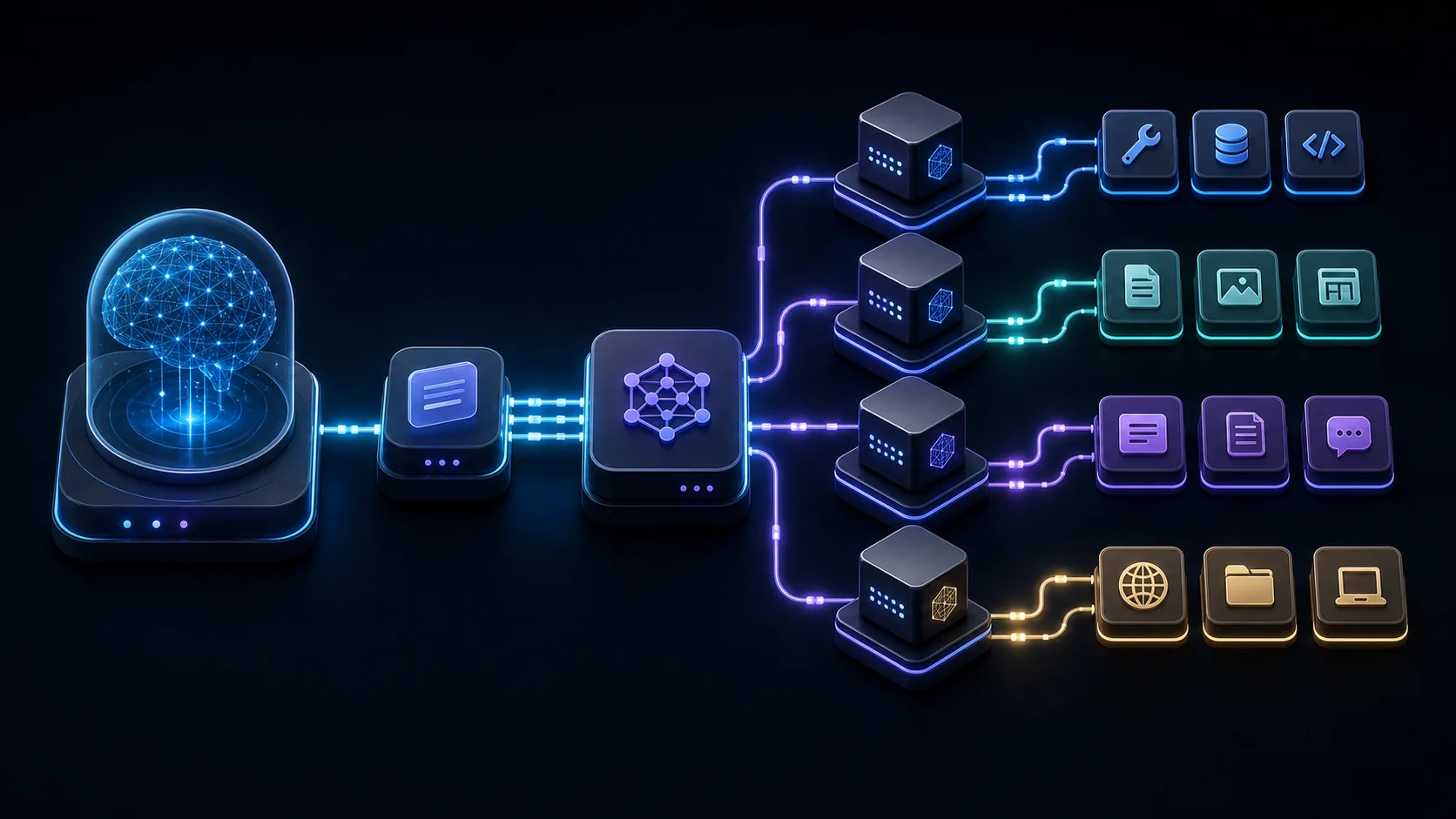
The basic idea
Large language models are powerful, but by themselves they do not know the contents of your repository, calendar, database, cloud account, document store, ticket system, or internal API. They need a controlled way to reach external systems. MCP helps standardize that connection.
The simplest mental model is this: an AI application is the host, an MCP client inside that application manages the connection, and an MCP server exposes tools, resources, and prompts from a specific system. The model does not directly roam through every system. It asks the host to use available capabilities through the protocol.
Core components
- Host: the AI application the user interacts with, such as a desktop agent workspace or IDE assistant.
- Client: the protocol component inside the host that talks to an MCP server.
- Server: the integration layer that exposes capabilities from a system, service, database, repository, or tool.
- Tools: callable actions, such as searching issues, querying a database, reading cloud inventory, or creating a ticket.
- Resources: readable context, such as files, records, docs, logs, pages, or structured data.
- Prompts: reusable task templates that help guide the model through a known workflow.
- Transport: the way messages move between client and server, such as local process communication or HTTP-based transport.
Why MCP matters
Before protocols like MCP, every AI application had to invent a different way to connect to every external tool. That created repeated integration work and inconsistent safety behavior. MCP creates a more reusable pattern: build a server once, expose clear capabilities, and let compatible hosts discover and use them.
MCP is especially helpful for agentic workflows because agents need context and tools. A cloud operations assistant might need logs and inventory. A research assistant might need documents and search. A coding assistant might need repository files and issue data. MCP gives those capabilities a common shape.
MCP and security
MCP does not remove the need for security design. A server can expose powerful actions, so permissions, credential handling, tool descriptions, approval boundaries, logging, and user consent matter. Read-only operations should be distinguished from side-effecting operations such as writes, deploys, deletes, billing changes, IAM changes, or data exports.
A good MCP integration should be explicit about what it can access, which credentials it uses, what actions are dangerous, and how the user can review or approve work before mutation. The protocol gives structure, but the product still needs policy and user experience.
How an MCP call feels in practice
From the user's point of view, an MCP-powered workflow should feel natural. The user asks a question or gives a task. The host sees that a connected server exposes a relevant tool or resource. The model may decide that it needs external context, the host presents or uses the capability, and the result comes back into the conversation or workflow.
For example, a user might ask, "Which open GitHub issues mention failed billing webhooks?" The model does not need to know GitHub's API directly. It can use a GitHub-oriented MCP server that exposes issue search as a tool. The result can then be summarized, filtered, or routed into the next workflow step.
Tools, resources, and prompts are different
It is useful to keep MCP capability types separate. Tools are active operations. They may query, search, create, update, or perform work. Resources are pieces of context that can be read. Prompts are reusable templates that help shape a task. Mixing these up can make agent behavior harder to reason about.
A database schema might be a resource. A query operation might be a tool. A "summarize this table for an analyst" template might be a prompt. The clearer these boundaries are, the easier it is for a host to present the right capability and for a user to understand what the agent is doing.
Good MCP server design
- Expose capabilities that map to real user jobs.
- Use clear tool names and descriptions so the model chooses correctly.
- Return structured results where possible, not only prose.
- Make permissions and credential assumptions explicit.
- Keep dangerous operations separate from read-only operations.
- Log important calls so teams can review behavior.
- Fail clearly when credentials, scopes, or inputs are missing.
An MCP server should not be a thin dump of every internal endpoint. It should be a curated interface that makes sense for AI-assisted work.
MCP in Kendr
Kendr treats MCP as part of a larger workflow surface. A skill pack can describe when a capability should be used, an MCP server can expose the tools, and Kendr can help route the user from research into governed execution.
For example, a Terraform review workflow might use repository context, Terraform-related instructions, and infrastructure tools. A cloud operations workflow might use provider-specific MCP packs while preserving approval boundaries. The goal is not just to connect tools; it is to make tool use understandable and reusable.
Learning checklist
- Know the difference between hosts, clients, and servers.
- Understand tools, resources, prompts, and transports.
- Separate read-only context from side-effecting actions.
- Describe MCP servers in terms of user jobs, not only API endpoints.
- Use skill packs or workflow docs to explain when and how capabilities should be used.
Read Kendr skills and MCP docs or continue with MCP skill packs for governed AI tools.
Frequently asked MCP questions
Is MCP only for local tools?
No. MCP can be used with local integrations and remote services, depending on the host, server, and transport design. The important concept is not where the server runs, but what capabilities it exposes and how the host controls access.
Does MCP make tools safe automatically?
No. MCP structures tool access, but safety depends on implementation: permissions, descriptions, user consent, approval gates, credential scope, and logging.
Should every API become an MCP server?
Not necessarily. Good MCP servers expose capabilities that make sense for AI workflows. A curated server with five clear tools is often better than a noisy server that exposes every endpoint without context.