Cloud operations AI assistants need approval-aware workflows
Cloud assistants are most useful when they inspect, diagnose, explain risk, and prepare safe next steps before making changes to production systems.
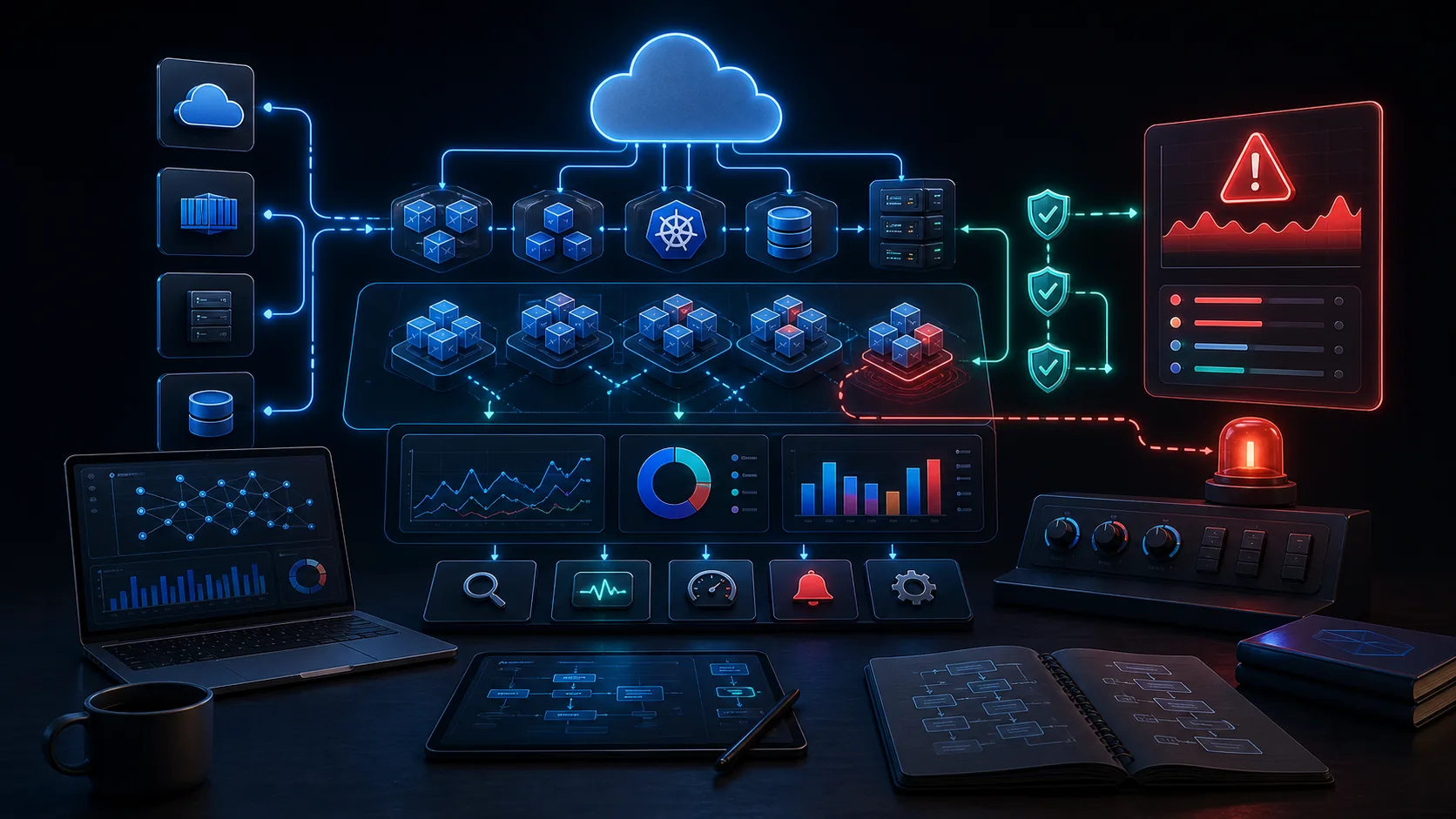
The cloud operations challenge
Cloud environments are spread across accounts, subscriptions, projects, regions, clusters, services, IAM policies, network rules, logs, alerts, and deployment systems. Human operators need context quickly, but a careless automated action can create downtime, cost, or security exposure.
An AI cloud operations assistant should therefore be designed around read-first behavior. It should gather inventory, inspect health, summarize recent changes, identify likely causes, and prepare remediation plans. Side-effecting actions should be approval-gated.
Safe cloud assistant workflow
- Confirm scope: provider, account, subscription, project, region, cluster, environment, and service.
- Read inventory: identify resources, owners, tags, dependencies, and recent changes.
- Inspect health: review alerts, logs, metrics, events, quotas, deployments, and configuration.
- Diagnose: explain likely causes and confidence levels.
- Prepare action: propose commands, changes, or runbook steps without executing risky mutations.
- Ask approval: stop before create, update, delete, IAM, network, DNS, billing, or data writes.
- Record outcome: save findings and decisions for later incidents or reviews.
What to inspect
For AWS, Azure, and Google Cloud, useful diagnostics include resource identity, region, service health, deployment history, IAM context, quotas, cost signals, logs, and network configuration. For Kubernetes, useful diagnostics include pods, deployments, events, services, ingress, secrets references, resource pressure, image versions, and rollout history.
A strong assistant keeps provider-specific facts separate until the summary. Multi-cloud work often fails when terminology is normalized too early. AWS IAM, Azure RBAC, and Google Cloud IAM are related concepts, but they should not be treated as identical.
Example Kendr prompt
Investigate this cloud service issue.

Scope:
- provider, account, region, and environment are listed in the attached notes
- inspect health, logs, configuration, recent changes, and quotas
- do not make changes yet

Return:
- likely cause
- evidence
- impacted resources
- immediate safe checks
- remediation options
- actions that require approval
Approval boundaries
Cloud assistants must be conservative about actions. Creating resources, deleting resources, changing IAM, modifying network access, rotating keys, changing DNS, writing storage, altering billing, deploying workloads, and changing production configuration should all require explicit approval.
Before approval, the assistant can still do a lot of valuable work. It can gather evidence, explain tradeoffs, draft a rollback plan, identify affected resources, and prepare the exact command or pull request for human review.
Incident response pattern
During an incident, the assistant should optimize for clarity and pace. The first output should identify the affected service, current symptoms, suspected blast radius, and safest immediate checks. It should avoid long explanations until the team understands whether users, data, or critical systems are affected.
A good incident workflow separates observation from action. The assistant can read alerts, logs, deployments, metrics, and configuration. It can summarize what changed recently. It can suggest rollback candidates or mitigation steps. But production changes should still be approved by the operator responsible for the environment.
After the incident, the same context can become a postmortem draft, runbook update, or knowledge-base entry. This is how cloud operations work compounds instead of disappearing after the page is resolved.
Cost and waste review
Cloud assistants can also help outside incidents. Cost and waste review is a strong fit because it involves inventory, usage, ownership, and prioritization. The assistant can identify unattached resources, idle capacity, oversized services, old snapshots, unused IPs, noisy logs, and unexpected growth patterns.
The workflow should still be careful. Deleting or resizing resources can break systems if ownership and dependency context is missing. A strong output should propose savings opportunities with evidence, owner tags, risk notes, and approval questions.
Cloud knowledge to preserve
- Environment names and ownership conventions.
- Critical services and expected dependencies.
- Known risky resources or fragile deployment paths.
- Common failure patterns and previous remediation steps.
- Approval requirements for production, IAM, network, and data changes.
- Runbooks, rollback steps, and escalation contacts.
This context makes the next cloud workflow safer. Without it, every investigation starts by rediscovering the same operational map.
Multi-cloud operating notes
Many teams use more than one cloud provider even when they do not describe themselves as multi-cloud. A product may run in AWS, store analytics in Google Cloud, use Azure identity, deploy workloads into Kubernetes, and send observability data to another platform. A useful assistant should avoid flattening those differences too early.
The workflow should preserve provider names, account identifiers, regions, resource names, and permission models in the evidence section. Only the final summary should normalize concepts for leadership. This prevents subtle mistakes, such as treating a project, subscription, account, namespace, and cluster as interchangeable.
For cross-provider reviews, the assistant should call out ownership and access gaps. If it can inspect AWS but not Azure, or Kubernetes but not the cloud load balancer, the output should mark the investigation as partial.
Operational output formats
Different cloud workflows need different artifacts. During an incident, the output should be short and action-oriented. During cost review, it should be a prioritized savings table. During readiness review, it should be a launch checklist. During postmortem work, it should preserve timeline, impact, causes, and follow-up owners.
Kendr is helpful when those outputs become reusable. A cost finding can become a follow-up task. An incident summary can become a postmortem. A readiness checklist can become a deployment guardrail. A repeated diagnostic can become a skill pack or runbook.
Runbooks and memory
Every useful cloud investigation should improve the next one. Kendr can help preserve incident findings, recurring checks, environment notes, remediation plans, and known constraints as reusable context.
This is especially important for teams with rotating on-call responsibilities. A saved investigation can become a runbook. A runbook can become a skill pack. A skill pack can make the next agentic workflow safer and faster.
How Kendr helps
Kendr's skill marketplace includes cloud and DevOps-oriented packs that can support cloud operations workflows while keeping approval boundaries visible.